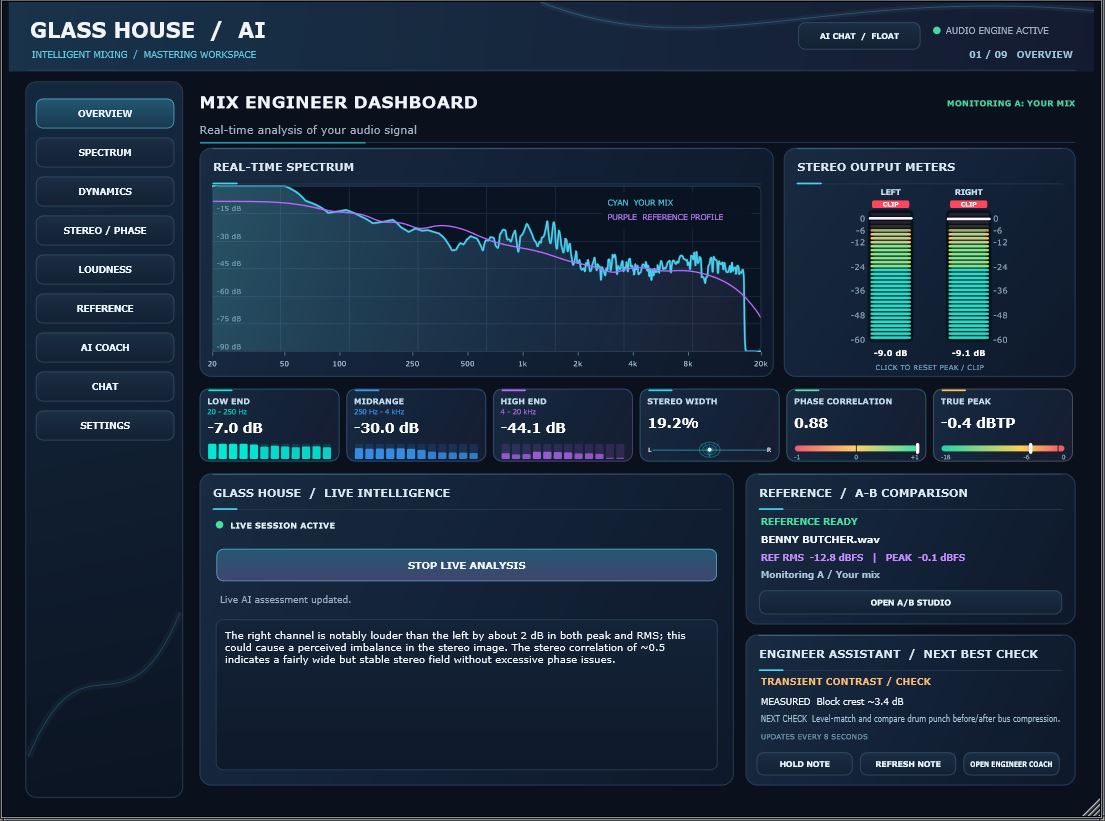
Overview
The big picture, at a glance
Monitor the mix from one central dashboard. Follow the live frequency display, level readings, stereo behavior and key indicators while you work.
Professional audio analysis meets intelligent, on-demand guidance. Glass House AI helps you see what is happening in your sound, understand your options and make confident creative decisions—inside your music workflow.
No generic mockups. These are actual screenshots from the Glass House AI interface, with a closer look at what each workspace does for your sound.
Monitor the mix from one central dashboard. Follow the live frequency display, level readings, stereo behavior and key indicators while you work.
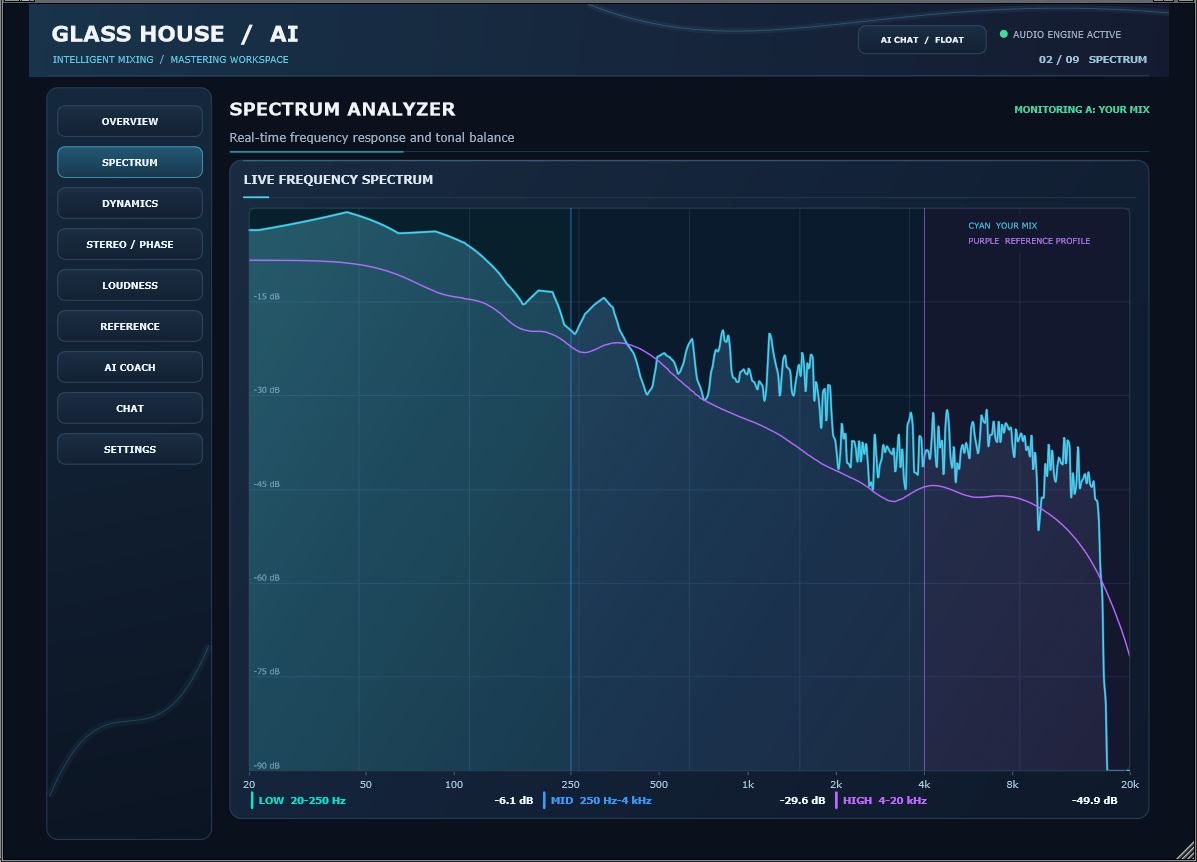
Explore the frequency spectrum with a responsive live analyzer. Spot build-ups, gaps and changing energy throughout the track.
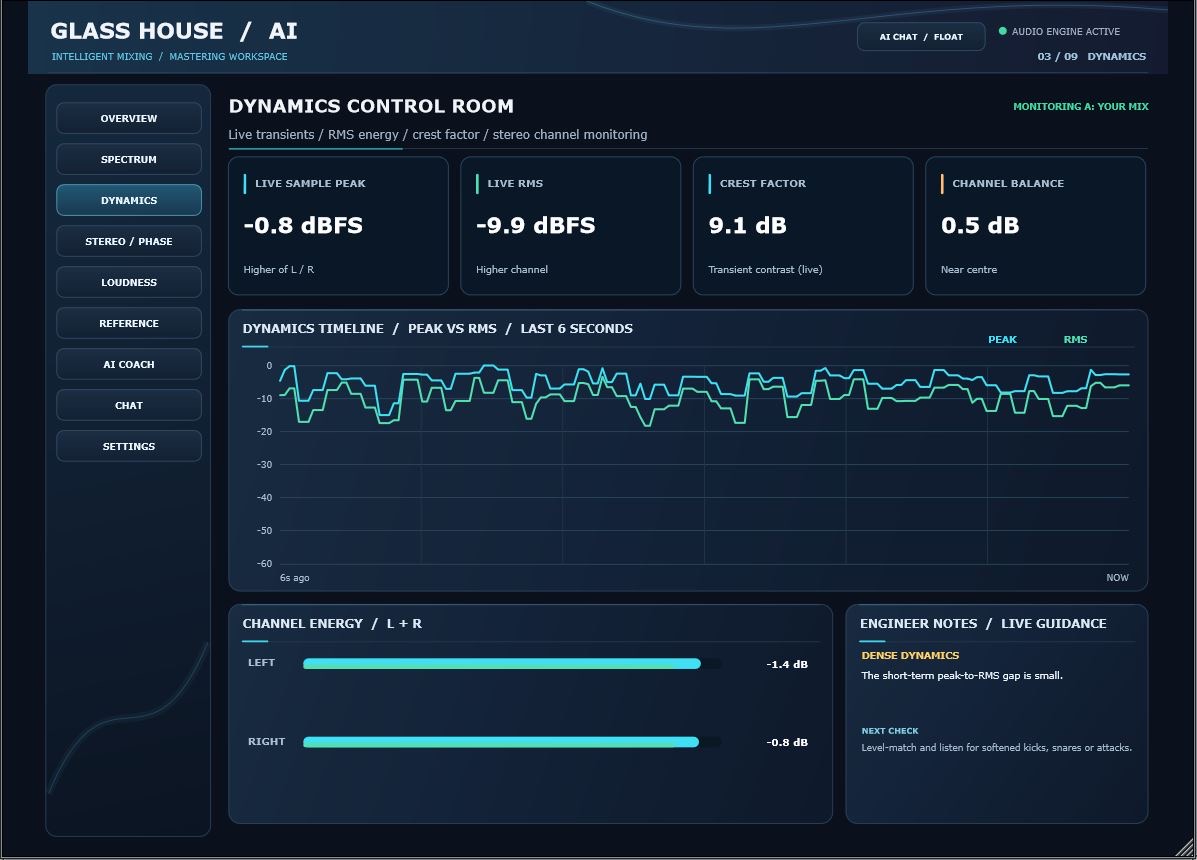
See how the track’s levels and dynamic behavior evolve, with visual information that helps you make your own compression and gain decisions.
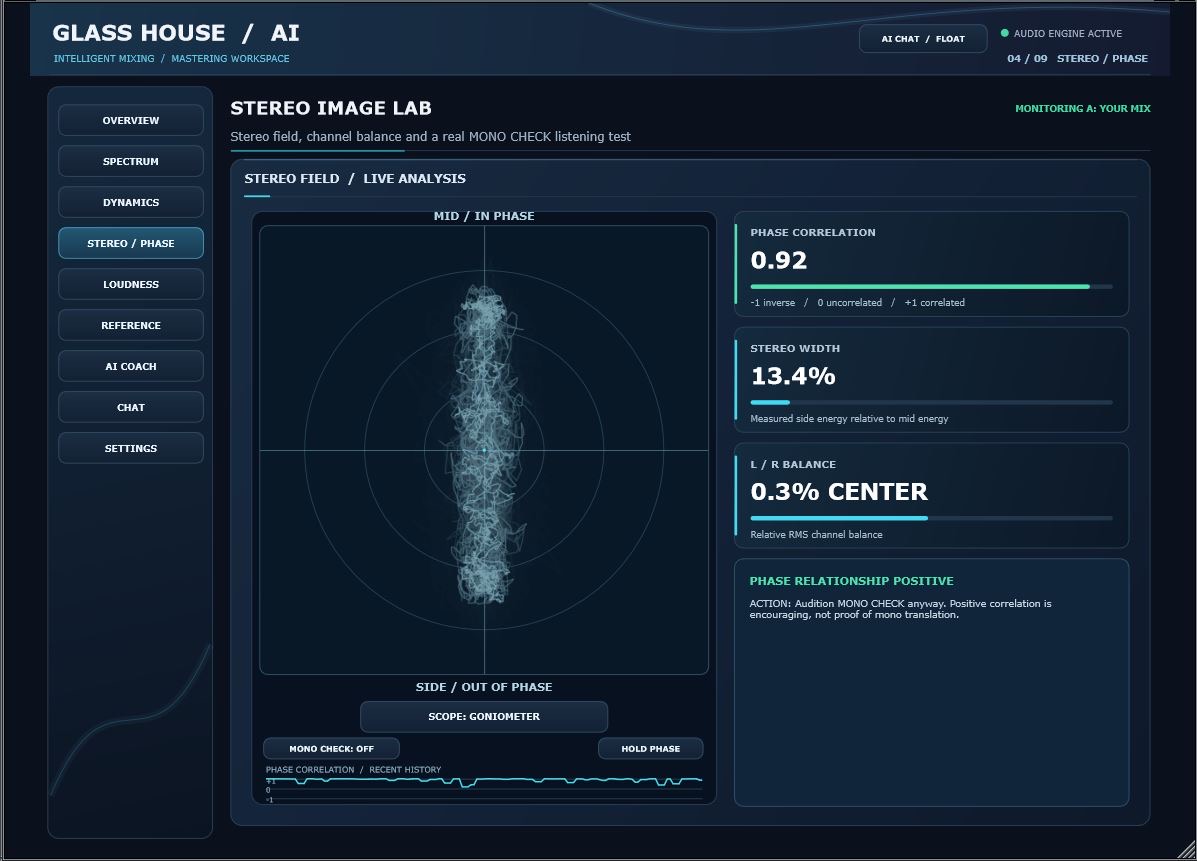
Check stereo image, correlation and width in the Stereo Image Lab. Understand the relationship between left, right and center information.
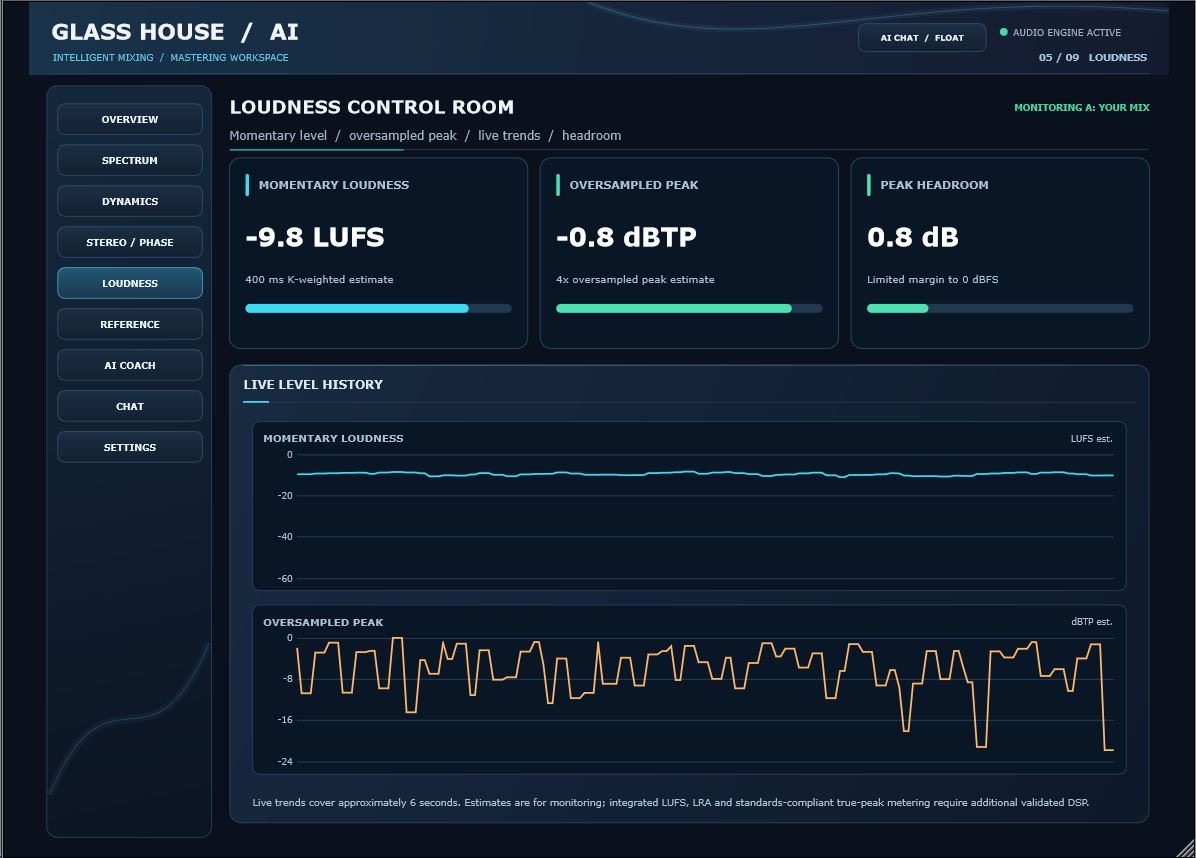
Follow LUFS, true peak and related readings while you monitor your mix. Use the visual history to spot level changes over time.
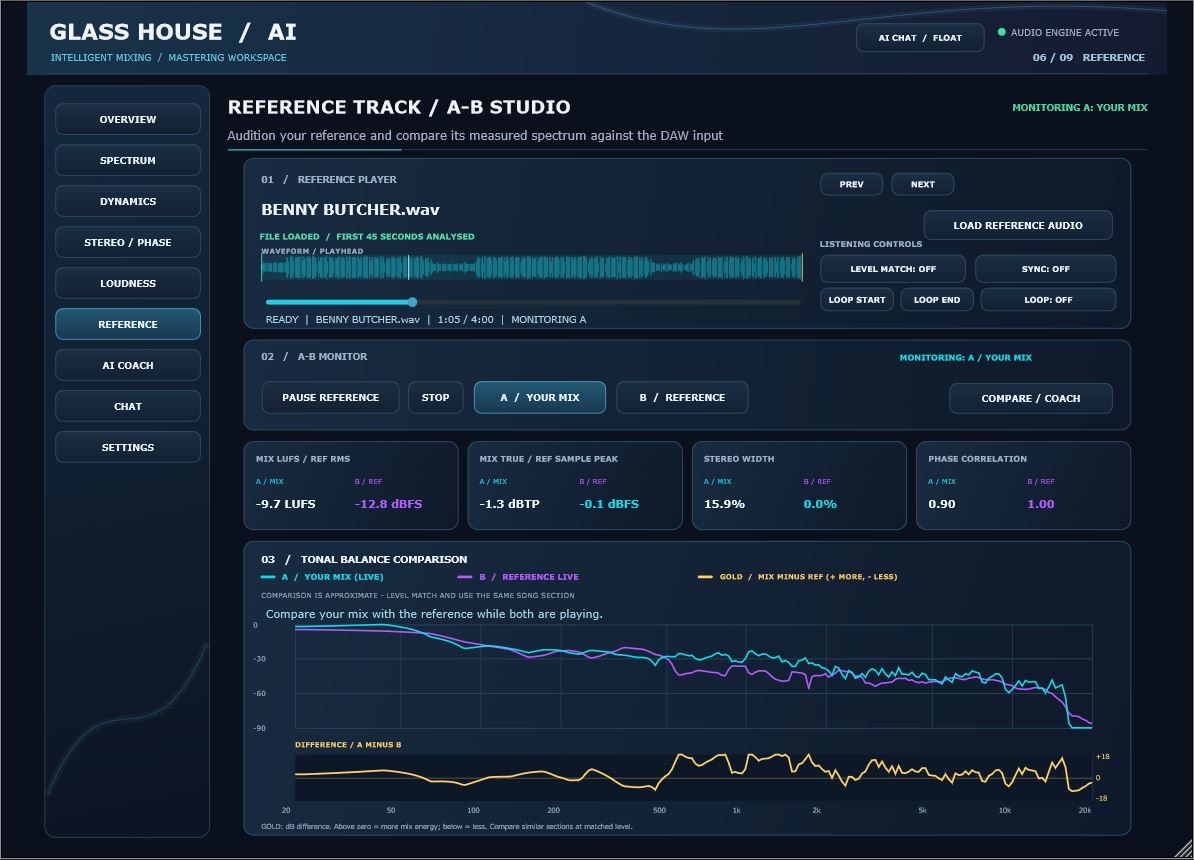
Load a reference and compare useful mix measurements and frequency trends side by side to better understand the sound you are targeting.
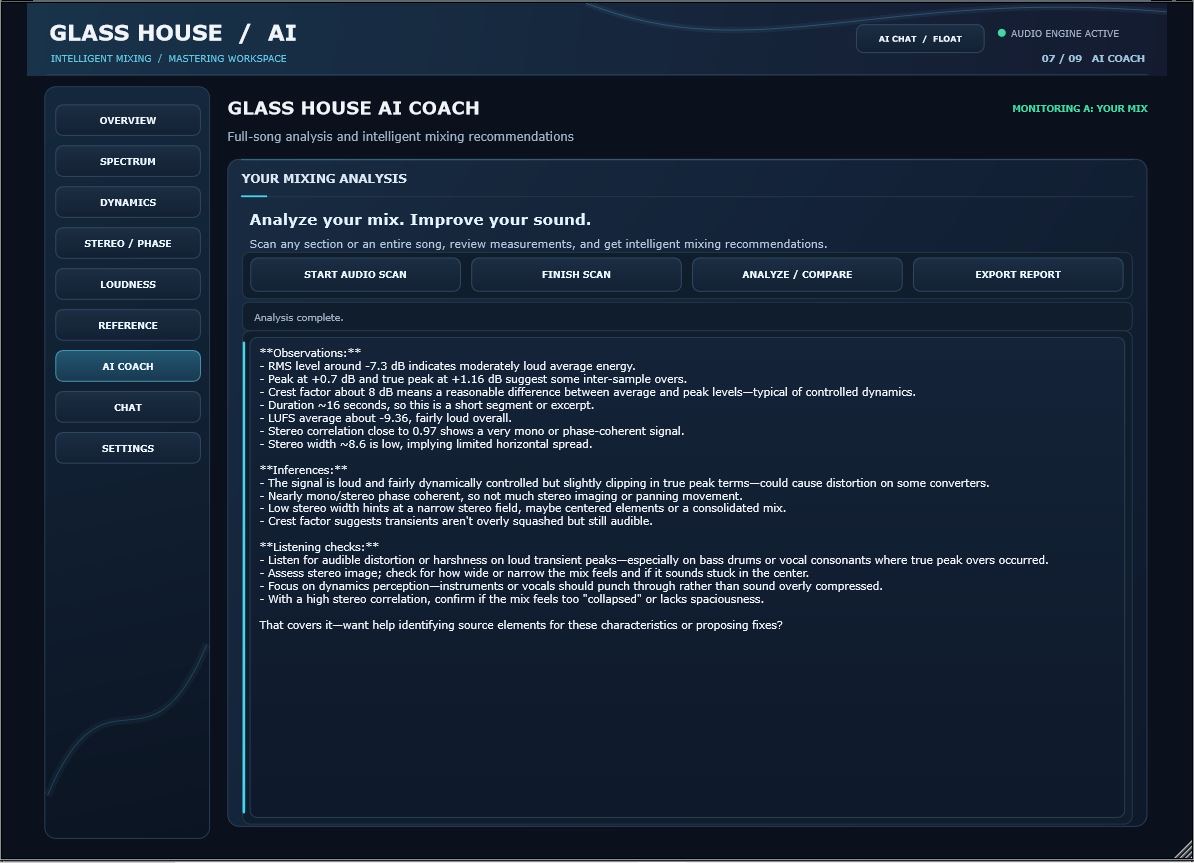
Get context-aware guidance based on the available analysis. Ask what the numbers mean and explore thoughtful next steps without giving up creative control.
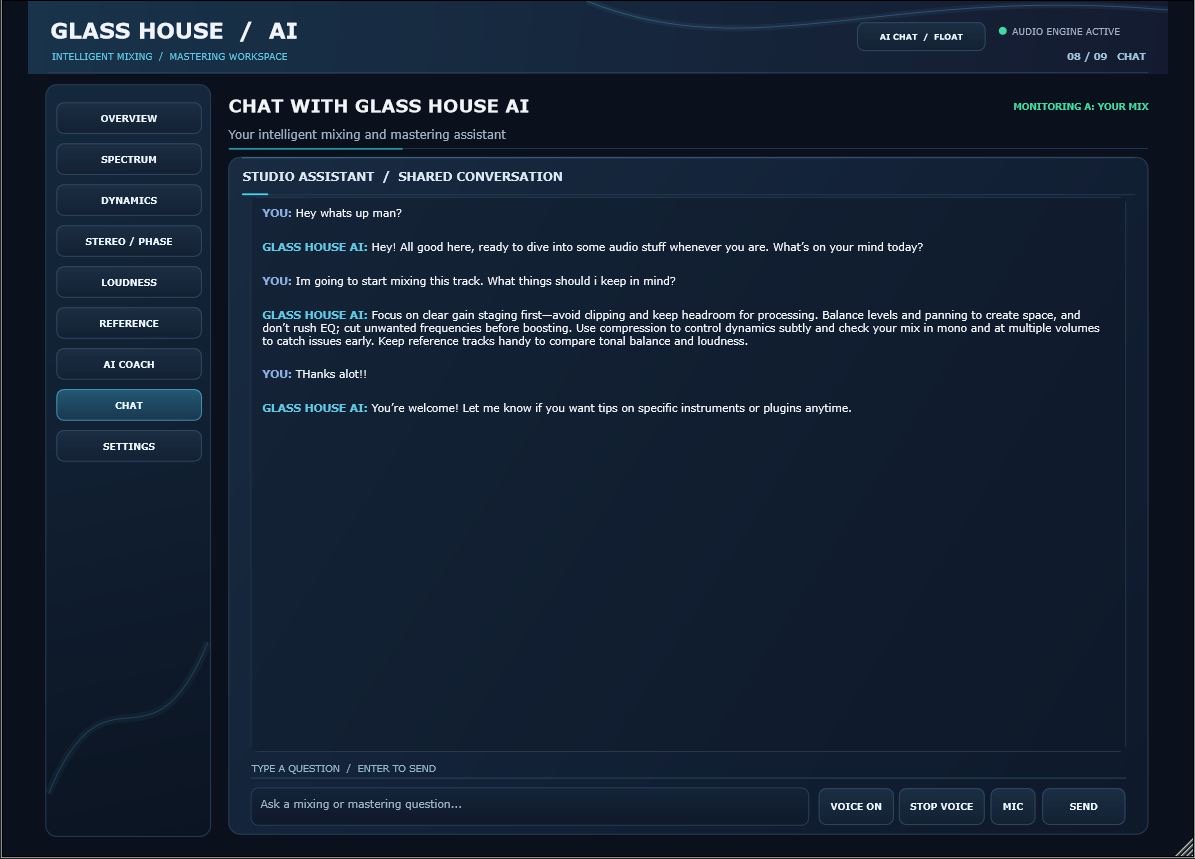
Talk with Glass House AI in clear, everyday language. Request explanations, guidance and on-demand insights while making your own mixing decisions.
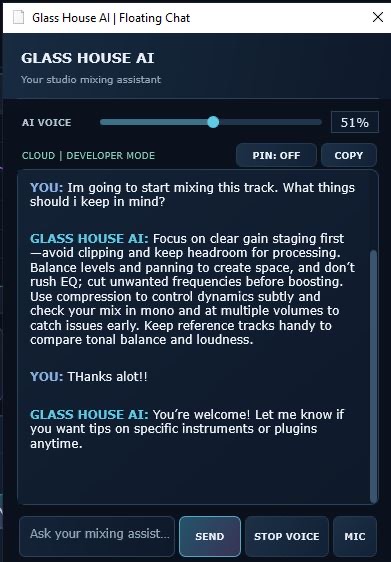
Open the floating chat, move it to a convenient spot in your workspace, and use its Pin control to keep the assistant close while you work in your DAW. Ask questions, follow the conversation and use the voice controls without constantly reopening the full plugin interface.
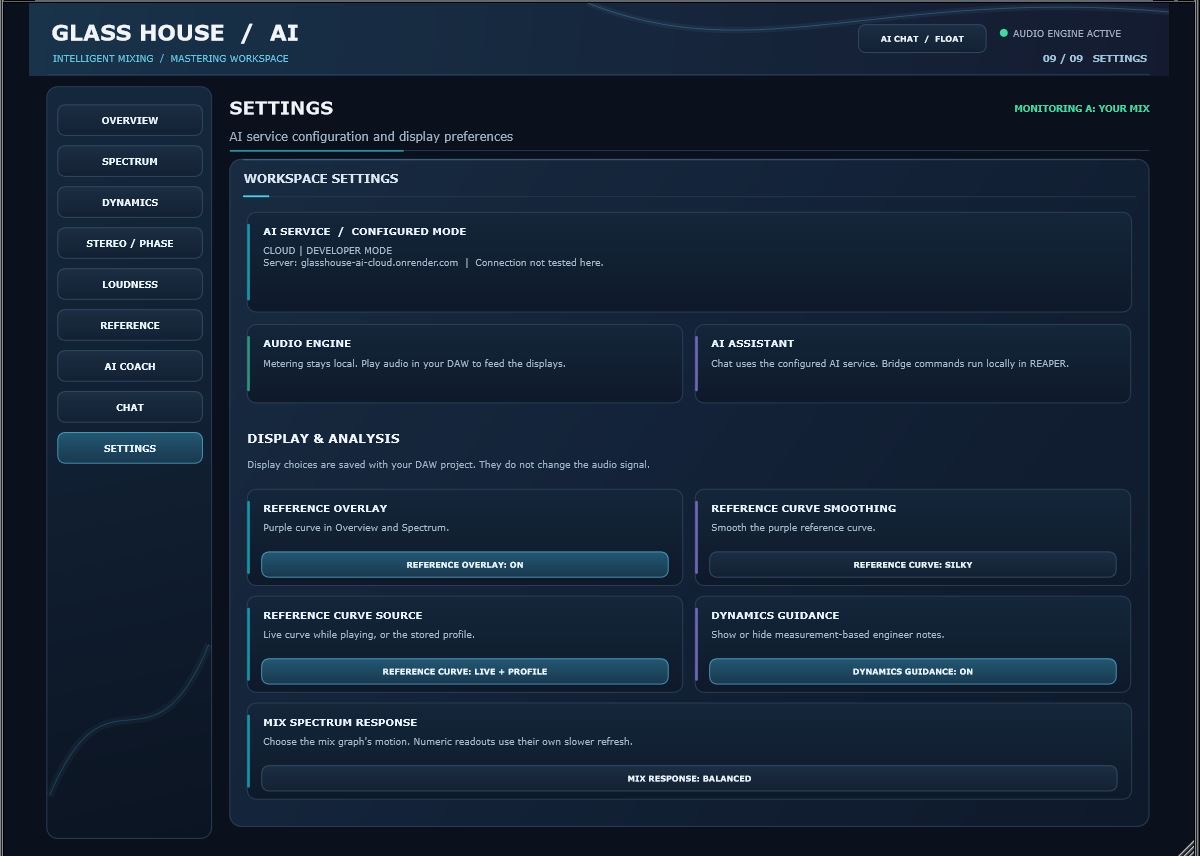
Review display, analysis and assistant preferences from a single settings page, designed to keep your workflow clear and focused.
You shouldn't have to stop creating just to ask a question. Glass House AI includes a separate Floating Chat window that you can position alongside your recording session, so guidance stays within easy reach.
Bring the compact assistant out of the main plugin view.
Place it near your tracks or on a second monitor, then use the Pin control to keep it conveniently accessible while mixing.
Ask for guidance when you need it, with chat and voice controls in a smaller workspace.
Great advice should feel natural. Choose a language inside Glass House AI and talk about your music, your workflow, or anything on your mind without switching back to English.
AI chat replies in your selected language. Turn on voice playback and the assistant speaks its answer in that language too.
Choose your preferred language in the plugin settings. It is remembered for future sessions and used for the interface, AI guidance and spoken responses.
Glass House AI is designed to work alongside your judgment, not replace it. The analysis runs locally in the plugin, while AI-powered explanations use a cloud connection when requested.
Glass House AI does not automatically adjust your plugin parameters.
Start with essential analysis and AI support. Step into Studio for deeper reference-driven guidance.
Try Starter or Studio free for 3 days when checkout is activated. Select a plan and billing period to continue securely with Stripe.
A clear view of your sound with an intelligent mixing companion.
Everything in Starter, plus expanded tools for intentional decisions.
Prices in USD. When checkout is enabled, subscriptions include a 3-day free trial. Stripe shows the exact amount and next billing date before you confirm. Trial enrollment is not available until account and billing verification are complete.
Work in your DAW and monitor the mix using the plugin's visual analysis pages.
Use the AI assistant when you want an explanation or a more focused interpretation.
Apply the changes you choose and keep your original creative intention in control.
The planned 3-day free trial will be offered on Starter and Studio. Once checkout and Stripe trial billing are connected, the selected subscription would begin billing after the trial unless canceled first. Free-trial sign-up is not available on this preview yet.
Floating Chat is a compact, movable assistant window you can keep alongside your DAW session. Use its Pin control to leave the assistant conveniently positioned while you work, ask questions and use available voice controls without repeatedly returning to the full plugin screen.
No. Glass House AI provides visual analysis and intelligent guidance to help you decide what to do. It does not automatically adjust your DAW/plugin parameters.
Audio metering and spectrum analysis take place locally in the plugin. The cloud connection is used for AI-powered responses and explanations.
Yes. Pro Tools is included in our supported DAW list.
Studio builds on the essential analysis and chat experience with reference-track comparison and deeper AI guidance.
Not yet. This version is a website preview. The subscription buttons currently show a checkout-opening-soon message until the payment links are added.
English, Spanish, French, German, Italian, Portuguese, Dutch, Japanese, Korean and Simplified Chinese. Select one from the plugin language settings for the interface, AI replies and spoken responses when voice is enabled.
REAPER, FL Studio, Cubase, Studio One, Ableton Live, Bitwig Studio, Pro Tools, and Logic Pro.
Be first to hear when the Windows installer is available and subscriptions are ready. Product news only, no spam.
The Windows installer is not available yet. Subscription checkout remains disabled until secure billing is verified.
Privacy: Glass House AI stores your email and consent record in Cloudflare for launch updates. We plan to send updates through Brevo once connected. To request deletion, email glasshouseai@gmail.com.